How do I get booking notifications on my phone or computer?
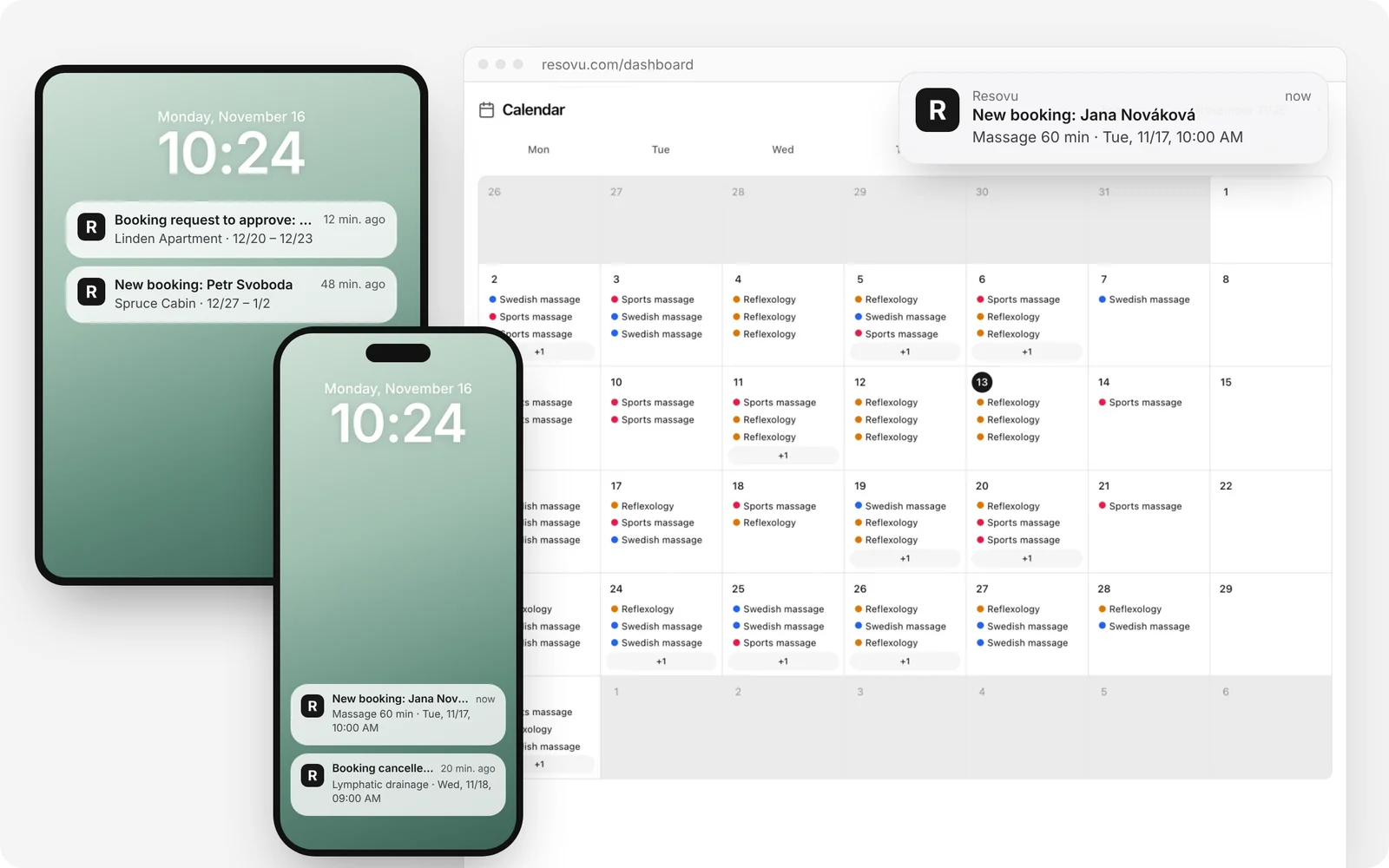
Open the user menu → Preferences and under Notifications on phone and computer click Turn on notifications – on each device separately. On iPhone and iPad first add Resovu to the Home Screen and open it from there. Starter plan and up; Accommodation Starter for stays.
How to do it
On the device where you want notifications, open the Resovu dashboard in Chrome, Edge, Firefox or Safari and sign in.
On iPhone and iPad: tap Share → Add to Home Screen, then open Resovu from the Home Screen and sign in there (iOS or iPadOS 16.4 or later).
Open the user menu → Preferences.
Under Notifications on phone and computer click Turn on notifications. You can also use the Get bookings on your phone bar on the Dashboard.
When the browser asks, choose Allow.
Optional: turn on Hide details on the lock screen – the notification then says only “New booking”, without the name and time.
Click Send a test notification and check that it arrived. Repeat on every phone, tablet or computer where you want notifications.
Tips and common mistakes
- Owners, admins and managers get the same events as under the bell: new, moved and cancelled bookings, reviews, payments and new customers. What you switch off in In-app notification preferences does not reach the phone either.
- Employees get only their own new, moved and cancelled bookings.
- A notification never contains the customer’s email or phone number. Tapping it opens the right page in Resovu.
- My devices with notifications lists every device that gets them; remove one there. Signing out removes the device you sign out on.
- When Resovu is added to the Home Screen or installed, its icon shows the number of unread notifications.
Why it matters
You know about a new booking or a cancellation at once, even when Resovu is closed – no need to keep checking email.
Frequently asked questions
Do I need to install an app?
No. Resovu works in the browser. Only on iPhone and iPad must you add it to the Home Screen first – Apple allows notifications only for web apps added there.
Notifications do not show on my Mac. What should I check?
In System Settings → Notifications → your browser (for example Google Chrome) turn on Allow notifications and choose Banners, and turn off Focus. The browser has to be running.
Why can't I turn notifications on?
They are available from the Starter plan, for stays from Accommodation Starter. On the Free plan Preferences shows which plan you need.
Where to find it in Resovu
- Open in Resovu
Menu path: Dashboard
Learn more on resovu.com
Was this article helpful?
Related
- CommunicationHow do I get notified about new bookings and cancellations?
- Services, team and timeHow do I give a colleague access to the admin?
- CommunicationHow do I send automatic appointment reminder emails?
- CommunicationWhy didn't my customer get the confirmation email?
- CommunicationHow do I send SMS appointment reminders?
Didn't find the answer?
Write to us via Support in the admin or at resovu@resovu.com.
Contact support